Professional AI Image
Generation & Editing Studio
Generate, edit, enhance, restore, upscale, remove backgrounds, create logos, design thumbnails, and transform images with one powerful AI creative platform. Built for creators, marketers, entrepreneurs, and designers.
Free to start · No credit card needed · 5 free credits daily
AI Image Editor
Remove backgrounds, erase objects, expand & relight
AI Upscaler
Enhance resolution up to 8× with AI
Logo Studio
Generate professional brand logos
Thumbnail Studio
Create eye-catching video thumbnails


16 Free Browser Tools
Instant image tools that run entirely in your browser. Free account required — sign up in seconds and start creating. Bookmark this page for quick access anytime.
Save This Page
Press Ctrl+D to bookmark
Professional Editing Suite
Create Beyond Imagination — a complete suite of AI-powered image editing and design tools for professionals
AI Image Editor
14 professional AI editing tools — remove backgrounds, erase objects, expand, relight, recolor, restore, and more.
AI Upscaler
Enhance image resolution up to 8× with AI. Perfect for prints, presentations, and high-quality web content.
Logo Studio
Generate professional brand logos with customizable industry, colors, styles, and icon types.
Thumbnail Studio
Create eye-catching thumbnails for YouTube, gaming, podcasts, finance, tech, and more with pre-built templates.
AI Photo Restoration
Repair scratches, tears, and blemishes in old photographs. Enhance faded details, sharpen faces, and colorize black & white photos with AI.
A Complete AI Image Studio
Generate, edit, enhance, and design — all in one professional creative platform
AI Image Editor
Remove backgrounds, erase objects, expand images, relight, recolor, and restore photos with 14 professional AI tools.
Try it nowAI Upscaler
Enhance image resolution up to 8× with AI. Crystal-clear details for prints, web, and presentations.
Try it nowLogo Studio
Generate professional brand logos with customizable industry, colors, styles, and icon types.
Try it nowThumbnail Studio
Create eye-catching thumbnails for YouTube, gaming, podcasts, and more with pre-built templates.
Try it nowLightning Fast Generation
Generate stunning images in seconds with our optimized AI infrastructure and priority queue.
Multi-Style AI
Photorealistic, anime, cyberpunk, fantasy, 3D renders — 22+ styles from one powerful platform.
Prompt Library
Browse hundreds of curated trending prompts with SEO detail pages to spark your next masterpiece.
Advanced Settings
Control aspect ratio, quality, CFG scale, sampling steps, style strength, seed, and batch count.
Secure & Private
Your prompts and images are protected with enterprise-grade security. Private generations on Pro and Studio plans.
HD Downloads
Download your creations in high resolution — watermark-free on Creator, Pro, and Studio plans.
Generation History
Access all your previously generated images anytime in your dashboard. Full history on Creator, Pro, and Studio plans.
Community Showcase
Get inspired by trending and highly-voted images from the Pixora community in our showcase.
Commercial Use
Full commercial rights to every image you generate on Creator, Pro, and Studio plans. Use them anywhere, anytime.
Rewarded Credits
Watch a short ad to earn extra free credits whenever you run out on the free plan.
Free Daily Credits
Get 5 free credits daily, no credit card required. Upgrade for more monthly credits.
Flexible Credit System
Earn credits daily, refer friends, watch ads, or buy credit packs. Credits never expire on paid plans.
Created with Pixora
A curated showcase of stunning images generated by our community. Get inspired and start creating your own.


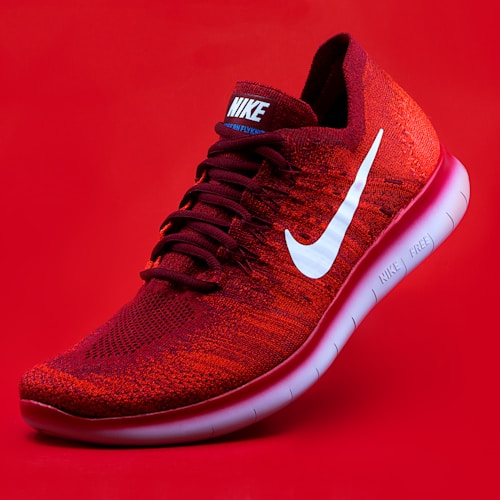


Today's Challenge: Deep Sea
Join the community and create something inspired by today's prompt.
Prompt of the Day
"An underwater civilization"
From Idea to Masterpiece
Generate, edit, and enhance — all in one professional AI image studio
Describe Your Vision
Write a detailed prompt or browse our prompt library for inspiration. Choose from 22+ art styles and advanced settings.
AI Generates Magic
Our AI processes your prompt using advanced diffusion models to create a unique, high-quality image in seconds.
Edit & Enhance
Refine your image with the AI Image Editor — remove backgrounds, erase objects, expand, relight, and upscale up to 8×.
Download & Use
Download in high resolution. Use for personal projects, social media, marketing, and commercial use on Creator, Pro, and Studio plans.
What Is AI Image Generation?
AI image generation is the process of creating visual art from text descriptions using machine learning models trained on millions of images. Instead of manually drawing or designing every pixel, you describe what you want in plain language — a subject, a style, a mood, lighting, a color palette — and the AI interprets your words to produce a unique, high-quality image in seconds.
Modern AI image generators like Pixora use diffusion models, which start with random visual noise and progressively refine it toward your described image. This approach produces remarkably coherent, detailed, and stylistically diverse results — from photorealistic portraits to abstract digital paintings, anime illustrations, 3D renders, and everything in between. The technology has advanced to the point where AI-generated images are regularly used in professional marketing, game development, product design, book covers, and social media content.
Pixora brings this technology together with a complete creative suite. You can generate an image from a text prompt, then immediately edit it — remove backgrounds, upscale to higher resolution, crop and resize for social media, add watermarks, extract color palettes, and more — all in one browser-based platform without installing any software.
How Does AI Image Generation Work?
When you type a prompt into Pixora's image generator, several things happen behind the scenes. First, a text encoder translates your words into a mathematical representation that captures the meaning, objects, style, and relationships you described. This representation acts as a guide for the diffusion model.
The diffusion model then begins with a canvas of pure random noise — think of it as visual static — and takes dozens of small steps to gradually remove noise and add structure. At each step, it compares the current image against your text description and makes tiny adjustments to move closer to what you asked for. After 20 to 50 steps, the noise resolves into a detailed, coherent image that matches your prompt.
You control this process through several settings. Aspect ratio determines whether the image is square, portrait, or landscape. CFG scale controls how closely the model follows your prompt — higher values are more literal, lower values give the model more creative freedom. Sampling steps affect detail and quality — more steps generally produce sharper results. Seed lets you reproduce the exact same image again or create variations from a starting point. And style selection applies pre-trained artistic directions like photorealistic, anime, fantasy, or cyberpunk.
Pixora also supports negative prompts — instructions about what you do not want in the image. For example, adding "blurry, extra fingers, watermark, text" as a negative prompt tells the model to actively avoid those elements, producing cleaner, more professional results.
What Can You Create With AI-Generated Images?
AI image generation has become a practical tool across a wide range of creative and professional fields. Here are some of the most popular ways creators use Pixora:
- Social media content — Generate eye-catching posts, stories, and thumbnails for Instagram, TikTok, YouTube, and Pinterest. Create a consistent visual brand without hiring a designer.
- Marketing and advertising — Produce hero images, product mockups, ad creatives, and email campaign visuals. Test multiple concepts quickly before committing to a final design.
- Logos and brand identity — Use the Logo Studio to generate professional logo concepts across industries, then refine colors, styles, and icon types until you find the perfect match.
- Book covers and product packaging — Design striking covers for self-published books, ebooks, and digital products. Create packaging mockups and label designs.
- Game and app assets — Generate character art, environment concepts, icons, textures, and UI elements for indie games and mobile apps.
- Presentations and pitch decks — Create custom illustrations and visual metaphors that make your slides stand out instead of relying on generic stock photos.
- Personal projects and gifts — Create custom portraits, greeting cards, wall art, and personalized visuals for friends and family.
Beyond generation, Pixora's editing suite lets you refine every image. The AI Image Editor removes backgrounds and unwanted objects, the Upscaler enhances resolution up to 8×, the Photo Restoration tool repairs old and damaged photographs, and 16 free browser tools handle cropping, resizing, compression, format conversion, and more — so you can take any image from concept to final deliverable without leaving the platform.
Why Choose Pixora for AI Image Creation?
Many AI image platforms either charge high subscription fees, watermark every image, or limit you to a handful of generations per day. Pixora takes a different approach. We offer a genuinely free plan with 5 daily credits — enough to create and experiment every day. You can earn additional free credits by watching short ads, referring friends, or sharing your creations publicly. And when you are ready for more, affordable paid plans unlock unlimited generations, higher resolutions, commercial use rights, and the full AI editing suite.
Pixora is also a complete creative workspace, not just a single-purpose generator. After generating an image, you can edit it with 14 AI-powered tools, enhance it with the upscaler, resize it for any social platform, compress it for faster loading, convert it between formats, extract its color palette, turn it into a PDF, and more — all in your browser, with no software downloads or technical expertise required.
Our prompt library contains hundreds of curated, categorized prompts with SEO-optimized detail pages, so even if you have never written an AI prompt before, you can find inspiration, copy a prompt, tweak it, and generate immediately. Our style library offers 22+ art styles — from photorealistic and anime to fantasy, cyberpunk, 3D render, and watercolor — each with preview images and detailed descriptions.
We believe creative tools should be accessible, private, and transparent. Your prompts and generated images are yours. We never sell your personal data. Our monetization model — ads, optional subscriptions, and credit packs — is clearly disclosed, and our legal pages (Privacy Policy, Terms of Service, Affiliate Disclosure) explain exactly how the platform works.
Start Creating With Pixora Today
Generate your first AI image in seconds — free, no credit card required. Explore 22+ art styles, a full editing suite, 16 free browser tools, and a growing library of prompts and guides.
Start Creating FreeLoved by Creators
See what our community has to say about Pixora
"Pixora has completely transformed my creative workflow. The quality of images is incredible, and the free credits are generous enough for my daily needs."

"I use this for all my social media graphics now. The AI understands complex prompts really well, and the results are always stunning."

"Our team has saved countless hours on visual content creation. The speed and quality are unmatched, especially for a free tool."

Choose Your Plan
Start free, upgrade when you need more. No hidden fees, cancel anytime.
Free
Start creating for free
forever, no card required
- 5 daily credits
- Daily login bonus (+1 credit)
- Watch ads for extra credits
- Standard AI model
- Up to 1024px output
- Public gallery participation
- Watermarked downloads
- 7-day generation history
- Basic image editor (crop, resize, flip, rotate)
- Free Creator Tools (crop, resize, compress, QR, palette, favicon)
Creator
For everyday creators
- 250 credits per month
- HD image downloads
- No watermark
- Commercial usage license
- Advanced prompt settings
- Negative prompts
- Full generation history
- Prompt templates
- Full AI image editor (14 tools)
- AI upscaler (2× and 4×)
- Logo Studio access
- Thumbnail Studio access
Pro
For serious creators
- 700 credits per month
- Priority generation queue
- Access to premium styles
- Prompt history
- HD image downloads
- No watermark
- Commercial usage license
- Advanced prompt settings
- Negative prompts
- Private generations
- Prompt templates
- Full AI image editor (14 tools)
- AI upscaler (2× and 4×)
- Logo Studio access
- Thumbnail Studio access
Studio
Maximum creative power
- 2,000 credits per month
- Highest priority generation
- Team features foundation
- Private gallery
- Advanced creator tools
- Everything in Pro
- Multiple AI models
- ControlNet access
- 8× AI upscaling
- Commercial use license
- Bulk generation
- API access
- Early access features
- Full AI image editor (14 tools)
- Batch image editing
Need More Credits?
Buy a one-time credit pack — no subscription needed. Credits never expire.
100
credits
5.0¢ per credit
300
credits
3.3¢ per credit
1000
credits
2.5¢ per credit
5000
credits
1.6¢ per credit
All plans include access to the Prompt Library and Public Gallery. Cancel anytime.
Frequently Asked Questions
Got questions? We've got answers

